
Give your HivePress site the dashboard it deserves.
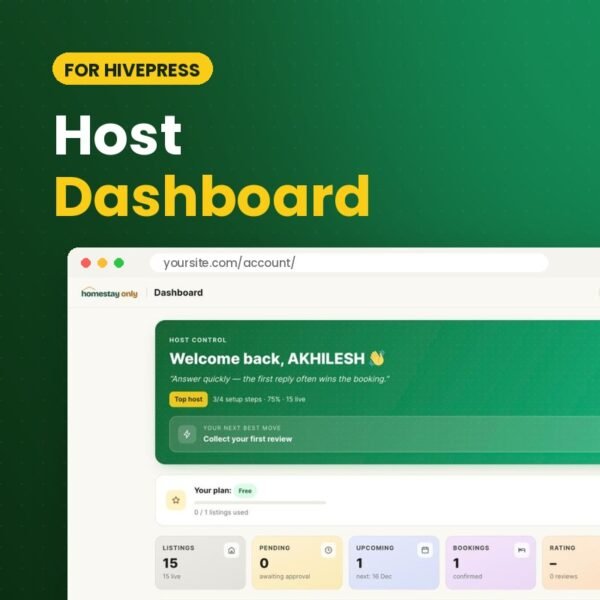
Host Dashboard turns the plain HivePress account area into a clean, app-style dashboard for your hosts and guests. Activate it, choose your colours and wording, and your directory instantly feels like a modern booking platform.
No template edits. No data changes. Set up in about 10 minutes.
▶ Watch the 50-second walkthrough in the gallery at the top of this page (second slide).
Why site owners use it
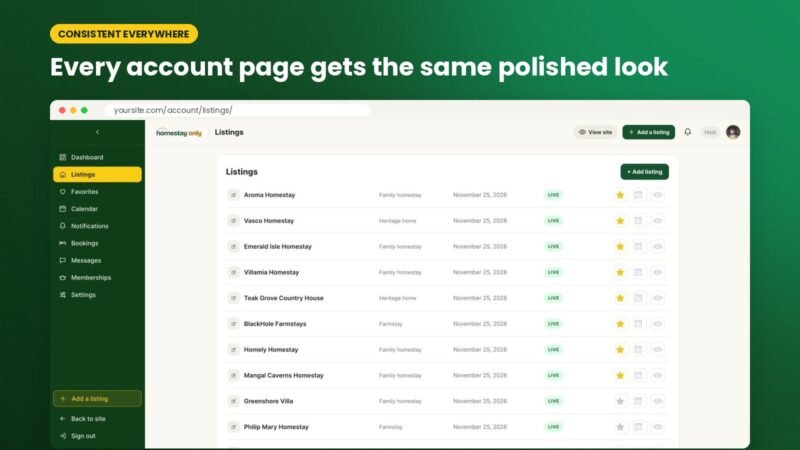
- Hosts find everything in one place. Bookings, messages, notifications and plans sit in one clear sidebar.
- Booking requests take one click. Accept, decline or message a guest in a side panel, without leaving the page.
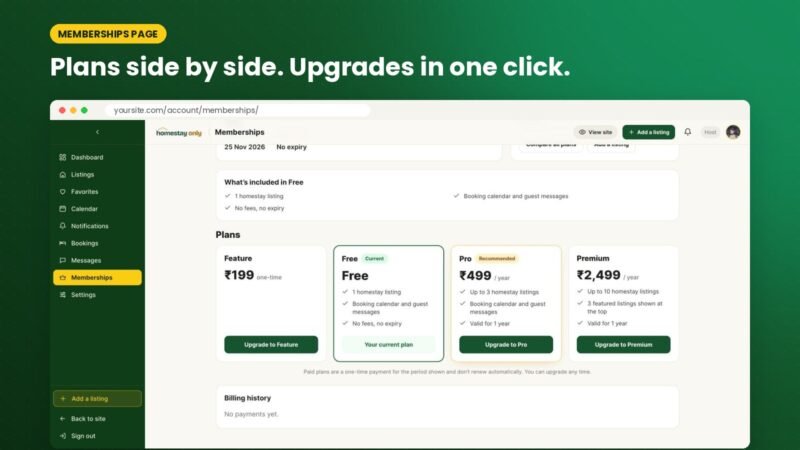
- Upgrades are easy to say yes to. Plans appear side by side with Recommended tags and Upgrade buttons.
- It looks like your brand. Your logo, your colours and your words (“homestays”, “venues”, “tours”…).
What’s inside
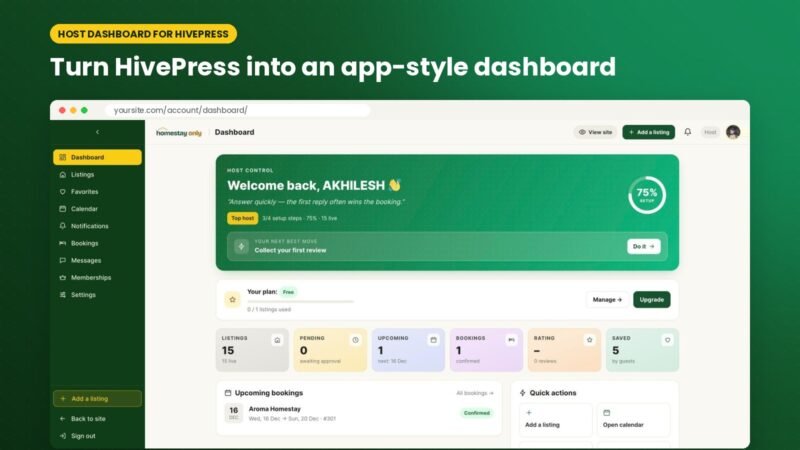
🏠 A real home base for every host
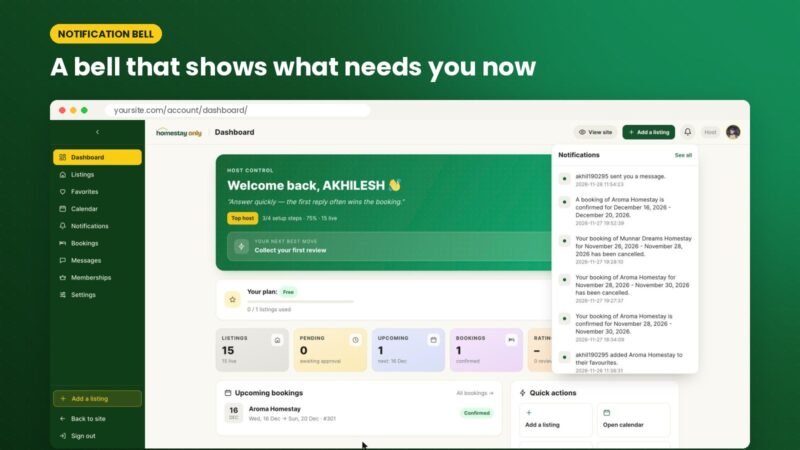
A welcome banner with a setup score and their “next best move”, their current plan, number tiles (listings, pending, upcoming, bookings, rating, saves), upcoming bookings and quick actions. A collapsible sidebar and a top bar with “View site”, your main button, a notification bell and the user’s avatar.
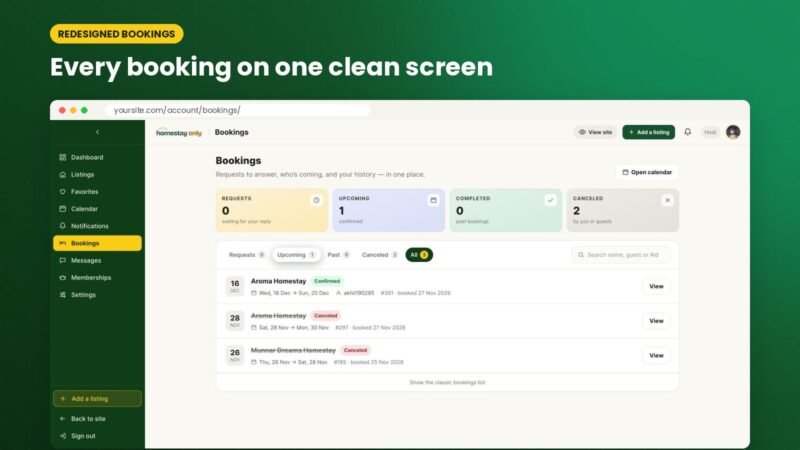
📅 Bookings, finally organised
Summary tiles, Requests / Upcoming / Past / Canceled / All tabs and search. Hosts who also travel can switch between “On my listings” and “My trips”.
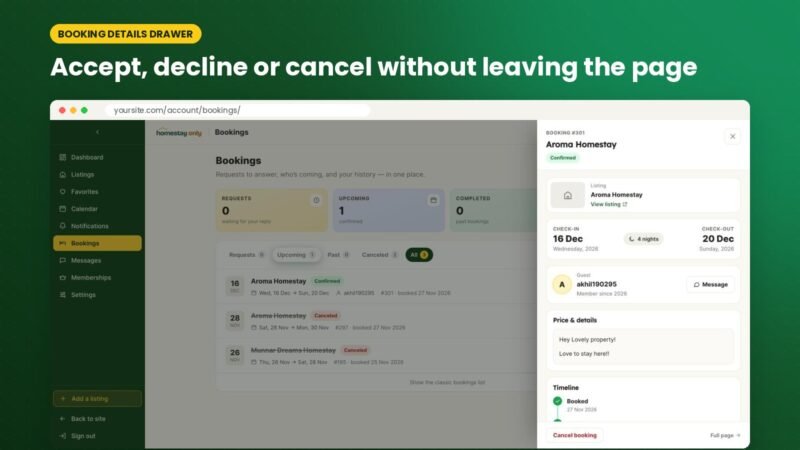
⚡ Handle a booking without leaving the page
Click any booking and a drawer slides in with the dates, nights, guest, price, extras, notes and a timeline. Accept, Decline (with a reason for the guest), Cancel or Unblock dates right there. Everything runs through HivePress, so its usual emails still go out.
💬 Message guests in seconds
The full conversation with the guest sits inside the booking drawer, with one-tap quick replies for the questions hosts answer every day.
🔔 Notifications that actually help
The bell flags new booking requests, guests arriving in the next two days, listings waiting for approval, plans about to end, new reviews and saves.
“See all” opens a slide-out inbox with All / Unread tabs and Mark all as read. Click any notification to open the booking, conversation or listing behind it, and act on it right there.
👑 Memberships that sell themselves
Current plan and usage, every plan side by side with Recommended tags and Upgrade buttons, plus billing history. Plan cards are built from your existing HivePress Memberships plans.
🧳 A home for guests too
People who only book get their own home page: saved listings, upcoming trips, recommendations, travel ideas from your blog and trip alerts (new listings in places they follow, price drops on saved listings). Host menus, plans and the “Add listing” button stay hidden from them.
🚀 Onboarding that turns sign-ups into live listings
New hosts are guided step by step through their profile, first listing and going live. Someone only becomes a host once you approve their first listing, the same rule HivePress uses for vendors.
🎨 Make it yours, no code
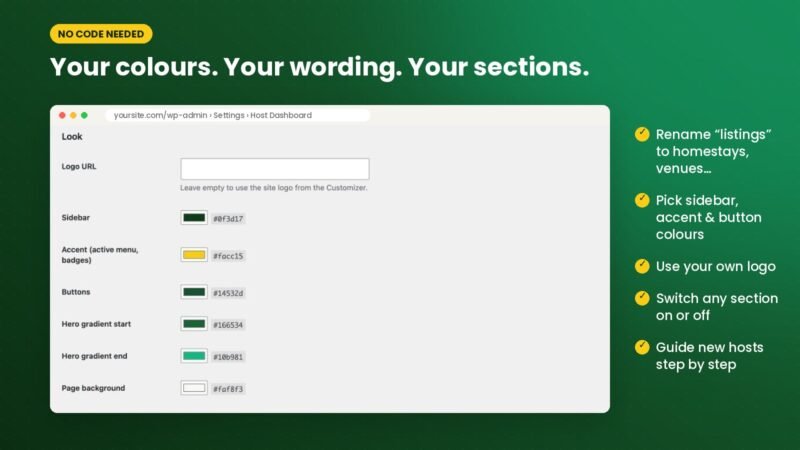
Everything lives in Settings → Host Dashboard:
- Rename “listing” to homestay, venue, room, tour… and set your role label (Host, Vendor, Provider)
- Add your logo and pick sidebar, accent, button and banner colours
- Switch any section on or off
- Choose exactly what guests see
Requirements
- WordPress 6.0 or newer (tested up to 6.9) and PHP 7.4 or newer
- HivePress (free), with any HivePress theme
- Optional HivePress extensions: Bookings, Messages, Reviews, Favorites, Memberships. Their sections appear on their own when active.
- Optional: Notifications for HivePress, for the notifications panel
What you get
- The plugin .zip, ready to upload (Plugins → Add New → Upload Plugin)
- Free updates for life. New versions appear in your Gumroad library, and your WordPress Plugins screen tells you when one is out.
- A step-by-step setup and troubleshooting guide
- Email support: just reply to your receipt
- 20+ developer hooks (
hdh_filters and actions) if you want to go further
Safe to try
The plugin only changes how your account pages look. It doesn’t touch your HivePress data or templates. Deactivate it and your site goes straight back to your theme’s design.
FAQ
Will it work with my theme?
Yes. It works with any HivePress theme and only changes the logged-in account area.
Do I need the paid HivePress extensions?
No. The dashboard works with free HivePress. Bookings, Messages, Memberships and the rest add their sections automatically when you have them.
Is it a subscription?
No. You pay once and get every future version free.
How do updates work?
Download the new zip from your Gumroad library and upload it in WordPress. Your settings are kept.
Can I see the setup guide before buying?
Yes: read the full guide here.